

Google Ads can be one of the fastest ways for a doctor to reach people who are actively looking for care. Someone types “[specialty] near me”, sees your ad, taps to call and books. But the same system can burn through money if it is set up badly. This guide explains what Google Ads services for doctors should include and how to avoid common waste. It is written for private practices in the USA, UK, Canada and Australia.
If you want the bigger picture of marketing options first, read doctor marketing services. Hospitals have different needs; see hospital Google Ads services.
How Google Ads Works for a Practice
You choose the searches you want to appear for, write ads, set a daily budget and a location, and pay when someone clicks. Google decides which ads to show based on bids, relevance and quality. The most valuable searches for doctors are usually specific, such as a specialty plus a location, or a specific treatment you offer.
What Good Services Include
1. Goal-setting and a starting audit
What do you want? New patients for a particular service? More calls? A fuller schedule on certain days? A good provider starts with goals and checks your website, Google profile and any existing account.
2. Tracking set up properly
Phone calls, appointment requests and form submissions should be tracked so you can see what works. Take care that tracking does not send sensitive health information to advertising platforms. Our guides on HIPAA and paid ads and tracking pixels explain more for US practices.

3. Keywords based on patient intent
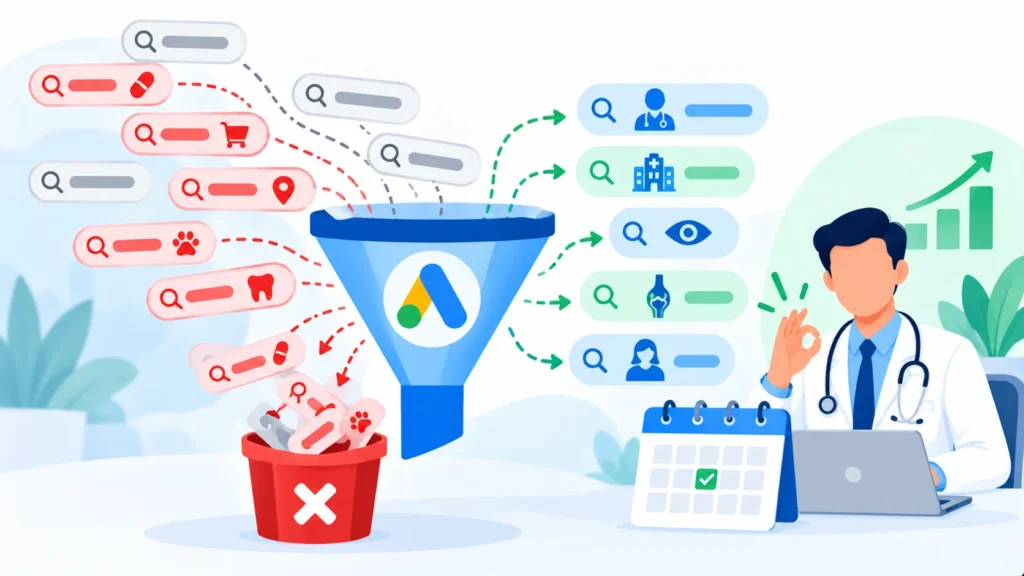
People searching “urgent appointment [specialty] [city]” are different from people searching “what causes [symptom]”. Campaigns should focus on people who want to book care, and block irrelevant searches.
4. Negative keywords
These tell Google which searches never to show your ads for, for example jobs, courses, free advice or unrelated conditions. This one step often saves a lot of money.
5. Ads that are accurate and compliant
Ad text should be honest and avoid guarantees, exaggerated claims and anything your regulator or Google’s healthcare policies do not allow.
6. Landing pages for each service
Each campaign should send people to a page about that service, with your credentials, location, a phone number you can tap and a simple booking option.
7. Location and schedule control
Show ads where your patients actually live, and consider running them mainly when you can answer calls or respond to enquiries.
8. Regular optimization and reporting
Search terms, bids, ads and landing pages should be reviewed regularly, with plain-language reports on calls, appointment requests and cost per enquiry.
Where Doctors Waste Money
- Sending all clicks to the homepage
- No call tracking, so you cannot tell what works
- Ads showing too far from the practice
- No negative keywords
- Missed calls and slow replies to forms
- Promoting services you have no capacity for
- Letting an agency run the account without showing you the data
Use our 12-point Google Ads audit checklist to review an existing account.
Policy and Privacy Points to Check
- Google’s healthcare policies restrict some products and claims, and they differ by country. Check the current policy pages before launching.
- Advertising rules from your medical regulator or professional body may limit claims, testimonials and comparisons.
- Privacy laws such as HIPAA in the USA, and local laws in the UK, Canada and Australia, affect tracking and remarketing.
- No guarantees. Never promise results or outcomes in ads.
What Does It Cost?
Costs vary widely by specialty, city and competition, and clicks for some medical searches can be expensive. Because there is no reliable single figure, ask any provider to explain in writing how ad spend and management fees are separated and what a realistic test budget would be. Our guide on how much a dental practice should spend on Google Ads shows a simple way to work backwards from the number of patients you want, and it applies to many practices.
Google Ads or SEO?
They work together. Ads can bring quick enquiries for specific services, while SEO and a strong Google profile build visibility over time. See SEO services for doctors.
Frequently Asked Questions
How quickly can Google Ads bring patients?
Enquiries can start soon after launch, but allow a few weeks of testing before judging results.
Can I advertise any treatment on Google?
Not always. Some treatments and claims are restricted. Check Google’s current policies and your local rules.
Do I need a new website for ads?
Not necessarily, but you do need relevant, fast pages that make it easy to book. A weak page wastes the clicks you pay for.
Who should own the account?
You should. Always keep admin access to your own Google Ads account.
The Bottom Line
Good Google Ads services for doctors are specific, measurable and careful about rules and privacy. Start with clear goals, track enquiries, block waste and review results regularly.
See our Google Ads management or ask for a free account audit.
Disclaimer: This article is for general information only and is not legal, medical or compliance advice. Prices, features, policies, laws and results can change or may not apply to your situation, and we do not guarantee accuracy, outcomes or future performance. Please verify important details, including pricing, regulations and commitments, with the official source or website, or a qualified professional, before acting on them.