
If your business website runs on WordPress, WooCommerce or any PHP-based system, this week’s news matters to you. On 21 October 2026, the PHP project released emergency security updates for two critical bugs, nicknamed PHP2Shell. This post explains what happened in plain language and what you should do about it.
Last updated: 23 October 2026. This is a fast-moving story, so details may change. Please verify the latest status on the official PHP website and with your hosting provider.
The Short Version
- Two flaws, CVE-2026-109618 and CVE-2026-109619, can let an attacker run code on a web server without logging in.
- Both were rated 9.2 on the CVSS v4.0 scale (critical).
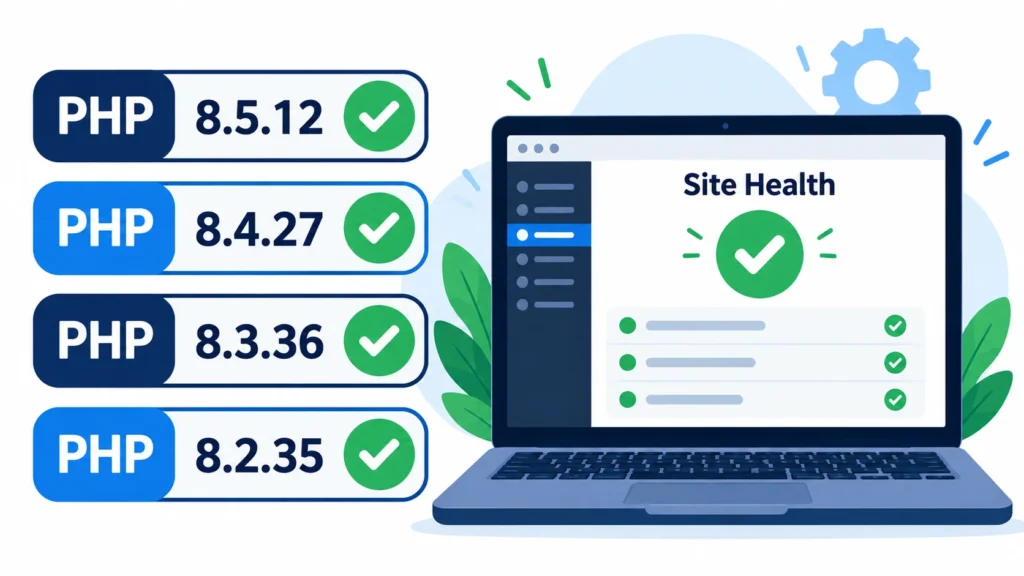
- PHP released fixes on 21 October 2026: 8.5.12, 8.4.27, 8.3.36 and 8.2.35.
- PHP’s own advisory says updating is the only safe fix, because interim workarounds are incomplete.
- Security companies have reported early exploit attempts. As of the sources we checked, no confirmed successful break-in was reported.
What Is PHP, and Why Should You Care?
PHP is the programming language that powers a huge part of the web, including WordPress. You may never see it, but if your website is built on WordPress or a similar system, PHP is running on your hosting server every time someone opens a page.
Most security issues in WordPress come from plugins or themes. This one is different. It sits in PHP itself, so even a well-maintained site can be exposed until the server’s PHP is updated.
What Are the Two Bugs?
| CVE | PHP’s description | Severity |
|---|---|---|
| CVE-2026-109618 | Remote code execution through memory (out-of-memory) corruption | CVSS v4.0: 9.2 |
| CVE-2026-109619 | Remote code execution through stale global state | CVSS v4.0: 9.2 |
In simple terms: a stranger on the internet may be able to send a specially crafted request to a vulnerable server and take control of how it runs code. The flaws can also expose data held in the server’s memory, which could include passwords, tokens or API keys.
The highest risk was reported for servers running Apache with mod_php, because an attack can happen before your website’s own code even loads. Other setups, such as PHP-FPM and LiteSpeed, are also reported as affected.
Which PHP Versions Are Fixed?
| PHP branch | Fixed in version |
|---|---|
| 8.5 | 8.5.12 |
| 8.4 | 8.4.27 |
| 8.3 | 8.3.36 |
| 8.2 | 8.2.35 |
If you run PHP 8.1 or older, the PHP project no longer provides updates for those branches. It did publish minimal source backports for 7.4, 8.0 and 8.1 for people who build PHP themselves, and some hosts (for example, cPanel’s EasyApache 4 packages) have backported the fix. The safest long-term move is to upgrade to a supported version. Also note that PHP 8.2 is scheduled to reach end of life on 31 December 2026, so plan your next upgrade.
One tricky detail: some Linux servers apply the fix without changing the visible version number. If your host says your server is patched, ask them to confirm it covers these two CVEs.
Is There Active Exploitation?
Based on the reports we reviewed, security firms observed early attack attempts around the time of the patch release, and attackers reportedly changed their payloads to try to get around firewall rules. At the time of those reports, neither flaw was listed in CISA’s Known Exploited Vulnerabilities catalog, and no source had confirmed a successful compromise.
Some organisations took services offline as a precaution. That does not mean they were hacked. It shows how seriously the issue is being taken.
A Simple Checklist for Business Owners
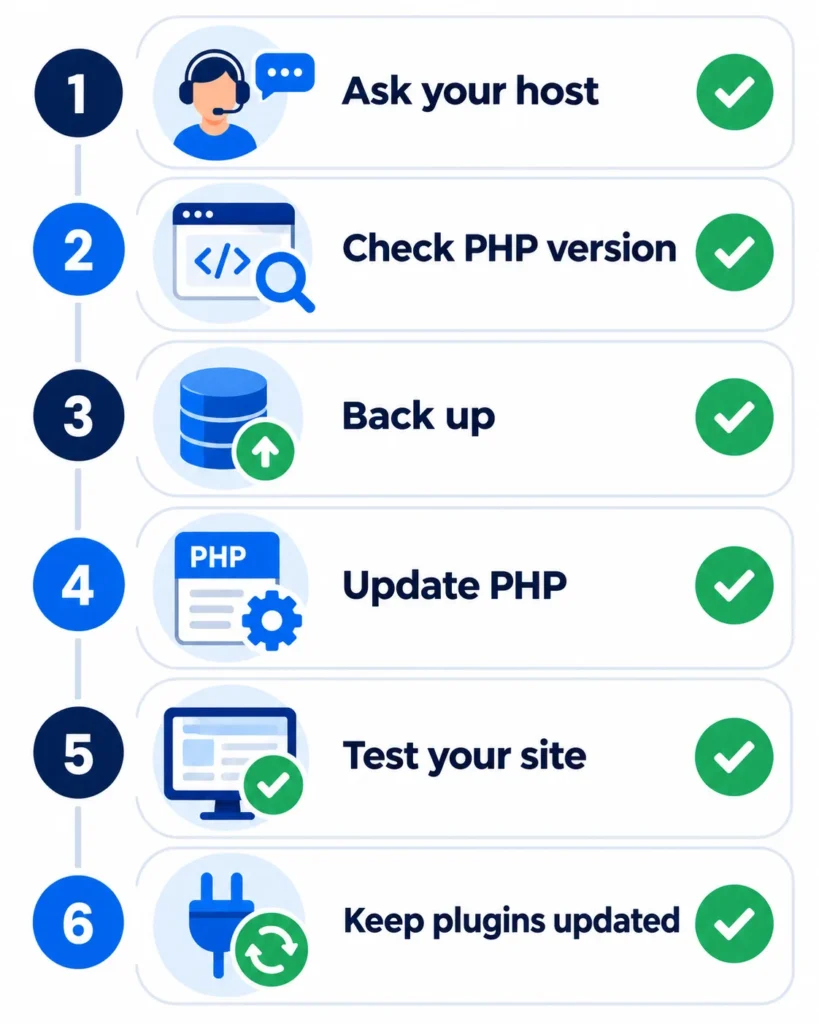
- Find out where your website is hosted and what kind of hosting you have (shared hosting, managed WordPress or a VPS/dedicated server).
- Ask your host in writing: “Has the server been updated for CVE-2026-109618 and CVE-2026-109619?”
- Check your PHP version. In WordPress, go to Tools > Site Health > Info > Server.
- Back up your site before any update.
- Update PHP to the fixed version for your branch, or ask your developer or host to do it. Restart PHP and the web server if you manage the server yourself.
- Test your website afterwards: forms, checkout, login and key pages.
- Keep WordPress, themes and plugins updated as well. Fixing PHP does not replace good basic upkeep.
- Watch for odd behaviour such as unknown admin users, unexpected files or sudden slowdowns, and talk to your host or a security professional if you see anything strange.
What If You Cannot Update Right Away?
PHP’s advisory lists interim settings that reduce risk for each flaw, but it also stresses that these do not fully protect a server and that updating is the only complete fix. Some of these settings can also change how uploads and sessions behave, so they need testing. This is a job for your developer or hosting provider rather than something to change blindly.
Who Handles This: You or Your Host?
- Managed WordPress hosting: usually handled by the host, but confirm.
- Shared hosting: the host normally updates PHP for you. Some let you pick a PHP version in the control panel.
- VPS or dedicated server: you (or your developer) are responsible for the update.
For example, GoDaddy said its managed WordPress and Windows hosting were already patched, that patches were being deployed on regular web hosting, and that VPS customers must update themselves. Other providers may differ, so check with yours.
Frequently Asked Questions
Is my WordPress site hacked because of this?
Not necessarily. These bugs create a risk until the server is updated. No source we reviewed confirmed a successful break-in, but exploit attempts were reported, so patching quickly is wise.
Do I need to update WordPress too?
The bugs are in PHP, not WordPress. But keeping WordPress core, plugins and themes up to date is always good practice.
Will updating PHP break my website?
Minor updates within the same branch (for example, 8.3.35 to 8.3.36) are normally safe, but always take a backup and test afterwards.
My site is on PHP 7.4. What should I do?
Ask your host whether the fix has been backported for your setup, and plan an upgrade to a supported PHP version with your developer.
How Globdigi Can Help
If you are not sure which PHP version your website runs, or you want a developer to handle updates, testing and monitoring, our team can help. See our WordPress development services or get in touch and we will check your setup.
Sources: PHP.net news archive, 2026; The Hacker News: PHP issues emergency patches for two critical PHP2Shell RCE flaws; GoDaddy: Important PHP security update, what website owners need to do.
Disclaimer: This article is for general information only and is not security or legal advice. This is a developing story, and vulnerabilities, patches, versions and hosting policies can change or may not apply to your situation. We do not guarantee accuracy, outcomes or future performance. Please verify important details, including versions and mitigation steps, with the official PHP website, your hosting provider or a qualified professional before acting on them.