
Most business owners have a feeling about their Google Ads. “It’s working, I think.” Or “It used to work, but now I’m not so sure.”
A feeling isn’t enough when you’re spending thousands of dollars a month. You need to know.
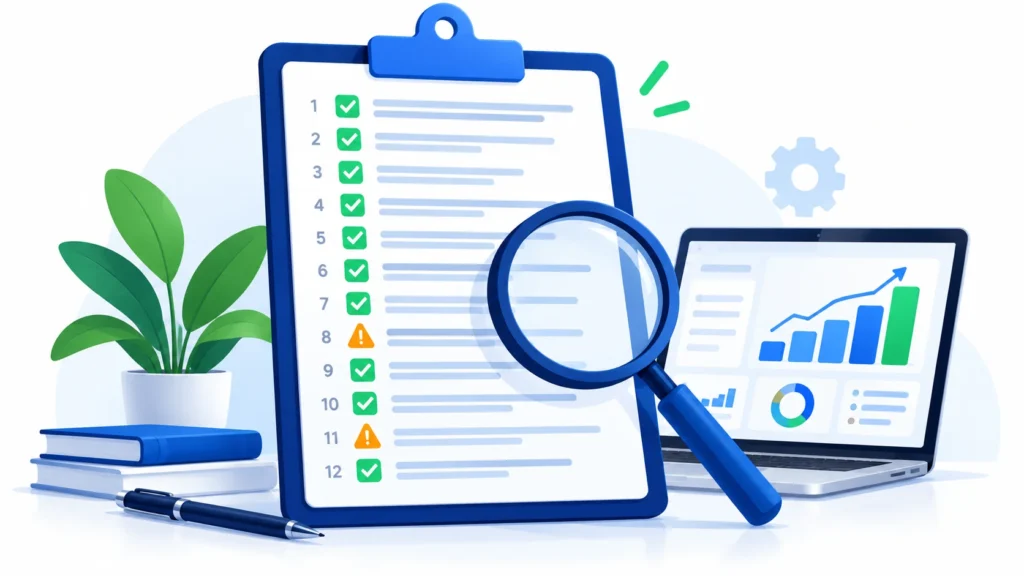
That’s what an audit is: a health check for your ad account. You don’t need to be a Google Ads expert to do a basic one. Below is the same 12-point checklist we use as a starting point when we look at a new client’s account, written so anyone can follow it.
Tip: Copy this checklist into a document and mark each point ✅ (looks good), ⚠️ (needs attention) or ❌ (broken). That’s your free template.
Part 1: Tracking (Can You Trust Your Numbers?)
☐ 1. Are your leads and sales being tracked?
Go to your Google Ads account and look for “Conversions”. Do you see real numbers there? Now test it: fill in your own contact form or make a test purchase, and check whether it shows up (it can take a few hours).
Why it matters: if tracking is broken, every decision you or Google makes is based on wrong information.
☐ 2. Are phone calls tracked?
For many US local businesses, most leads come by phone. If calls from your ads and website aren’t being counted, you’re only seeing part of the picture.
☐ 3. Are you counting the right things?
Some accounts count things like “page views” or “button clicks” as conversions. These make numbers look good but don’t pay your bills. Make sure your main conversions are real actions: calls, form submissions, bookings or purchases.

Part 2: Where Your Money Goes
☐ 4. Check your search terms
Find the “Search terms” report. It shows what people actually typed before clicking your ad. Scroll through the last 30 days. Are there searches that have nothing to do with your business, like job searches, free stuff, DIY guides or competitor names you don’t want?
Why it matters: this is where most wasted money hides.
☐ 5. Do you have a negative keyword list?
Negative keywords tell Google which searches to never show your ads for. If your account has few or none, that’s a red flag.
☐ 6. Is your location targeting right?
Check that you’re only showing ads where you actually do business. Also check the location “options” setting. You usually want people who are in your area, not just people who have shown “interest” in it.
☐ 7. When are your ads running?
Look at results by day and hour. If your phones aren’t answered at night or on weekends, are ads running then anyway? Are those hours bringing real leads, or just wasting budget?
Part 3: Your Ads and Landing Pages
☐ 8. Are your ads fresh and relevant?
When was the last time someone wrote a new ad? Do your ads mention what makes you different: reviews, guarantees, fast service, pricing, years in business? Do they match what people are searching for?
☐ 9. Are you using ad extras (assets)?
Google lets you add extra information to your ads, like your phone number, extra links, business location, short benefit lines and images. These make ads bigger and more useful. Check that they’re set up, and verify how they are charged on Google’s official Ads help pages, as policies can change.
☐ 10. Do your ads send people to the right page?
If someone searches for “roof repair”, do they land on a roof repair page, or on your generic homepage? Relevant pages turn more clicks into customers.
☐ 11. Does your landing page work well on a phone?
Open it on your own phone. Is it fast? Is the phone number easy to tap? Is the form short? Would you fill it in?

Part 4: The Big Picture
☐ 12. Do you know your cost per customer?
This is the most important question. Not cost per click. Not even cost per lead. How much does it cost you to win one paying customer from Google Ads? And is that less than what a customer is worth to your business?
If you can’t answer this, fixing that is priority number one.
Your Free Audit Template
Copy this table and fill it in:
| # | Check | Status (✅ / ⚠️ / ❌) | Notes |
|---|---|---|---|
| 1 | Leads and sales tracked | ||
| 2 | Phone calls tracked | ||
| 3 | Counting real conversions only | ||
| 4 | Search terms reviewed | ||
| 5 | Negative keyword list in place | ||
| 6 | Location targeting correct | ||
| 7 | Ad schedule makes sense | ||
| 8 | Ads fresh and relevant | ||
| 9 | Ad assets (extras) set up | ||
| 10 | Ads go to the right pages | ||
| 11 | Landing page mobile-friendly | ||
| 12 | Cost per customer known |
What Your Results Mean
- Mostly ✅: your account is in good shape. Focus on testing and growth.
- A few ⚠️: normal for most accounts. Fix these one at a time, starting with tracking.
- Any ❌ in points 1–5: you’re very likely wasting money right now. Fix these before spending more.
Quick Answers to Common Questions
How often should I audit my Google Ads account?
A quick check of search terms and tracking every week, and a full audit like this one every quarter, is a good routine.
Can I do this without access to the account?
No. You need access. If your agency won’t give you access to your own Google Ads account, that’s a serious red flag. Your account should always belong to you.
What if I find problems but don’t know how to fix them?
That’s completely normal. Many fixes are simple for someone who does this every day. You can also ask an expert to do a deeper audit for you.
The Bottom Line
You don’t need to be technical to spot most Google Ads problems. Start with tracking, then look at where your money goes, then check your ads and pages. Twelve simple checks can save you a surprising amount of money.
Found that your costs keep rising? Read why your cost per lead is rising (and 7 fixes). Thinking about hiring help? Our guide to Google Ads management pricing shows what’s normal in the US.
With 100+ projects delivered across the USA, UK, Australia and India, we’ve seen almost every type of account problem. Learn more about our Google Ads services.
👉 Don’t want to do it yourself? Get a free Google Ads audit from our team. We’ll go through all 12 points (and more) and send you a clear, plain-English report.
Disclaimer: This article is for general information only. Prices, features, policies, laws and results can change or may not apply to your situation, and we do not guarantee accuracy, outcomes or future performance. Please verify important details, including pricing and commitments, with the official source or website, or a qualified professional, before acting on them.