
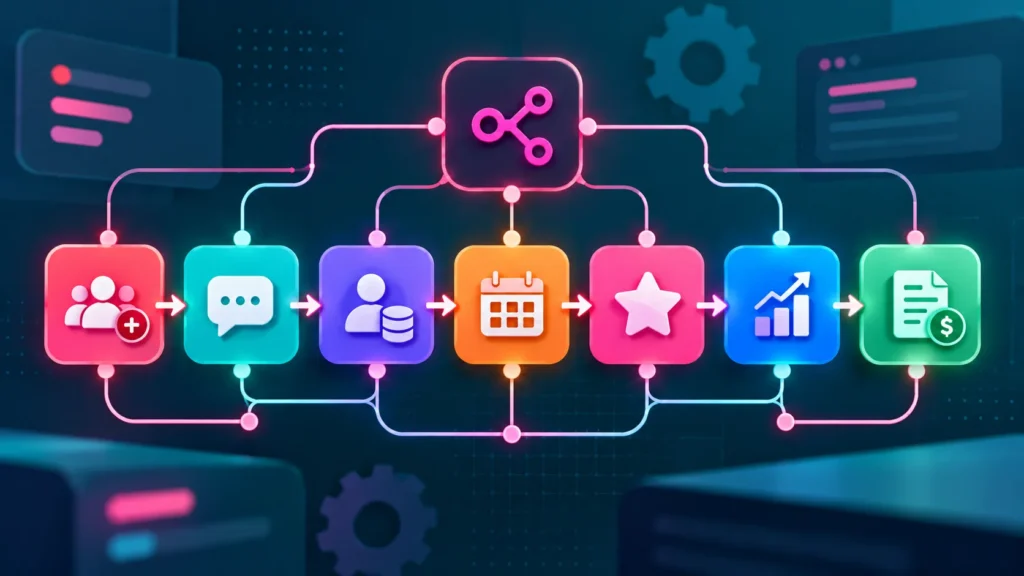
Most business owners lose hours every week to small, boring jobs: copying leads into a sheet, sending reminders, chasing invoices. n8n is a tool that does these jobs for you by connecting your apps. This guide explains n8n in plain words and shows seven workflows you can start with.
Quick Answer: What Is n8n?
n8n is a workflow automation tool. You build a flow on a visual canvas: “when this happens, do that”. For example, when someone fills in your website form, add them to your CRM and send a WhatsApp message. It connects forms, CRMs, spreadsheets, email and messaging apps.
Why Business Owners Use It
- It can save hours of copy-paste work every week.
- It can run in the cloud, or on your own server if you want more control. n8n’s Community Edition is free to self-host, but you pay for the server yourself.
- You can start with simple flows and grow later.
Prices and plans change, so check the n8n pricing page on the official website before you decide. (When we checked on 13 October 2026, the cloud plans were priced per month by the number of workflow runs. This information may be out of date by the time you read it.)
7 Workflows to Start With
1. New lead alert
When a form is submitted, send an instant message to the person who should call back, with the name, phone number and what they asked for. This supports faster replies. See how to respond to leads in under 5 minutes.
2. Instant WhatsApp reply
Send a first reply to every new enquiry, such as “Thanks, we got your message and will call you shortly”. This needs the official WhatsApp Business Platform and an approved provider. See WhatsApp automation for business.
3. Add leads to your CRM
Send every new lead straight into your CRM with its source (Google Ads, Meta Ads, website) so nobody has to type it. If you do not have a CRM yet, read CRM for small business.
4. Appointment reminders
Send a reminder a day before and a few hours before each appointment, with a link to reschedule. Read more in our guide on reducing no-shows.
5. Review requests
A day after a job or visit, send a polite message with your Google review link. Only ask real customers, and never offer rewards for positive reviews.
6. Weekly report
Every Monday, collect last week’s leads and ad spend into one sheet and email a short summary to you. Check the numbers against your ad accounts at first.
7. Invoice follow-up
When an invoice passes its due date, send a friendly reminder, and alert you if it is still unpaid after a few days.
Self-Hosted or Cloud?
- Cloud: easiest to start. Someone else runs the server.
- Self-hosted: more control over where data goes, but you or your developer must set it up, secure it, update it and back it up.
If you handle sensitive data such as health or legal details, check with the vendor and your adviser before sending it through any automation tool.
Getting Started Safely
- Start with one workflow that has a clear time saving.
- Test it with fake data first.
- Add an alert so you know if a workflow fails.
- Keep a note of what each workflow does and who owns it.
- Do not send customer data to tools you have not checked.
Common Mistakes to Avoid
- Automating a messy process before fixing it.
- Building ten workflows before testing one.
- No alert when something breaks.
- Sending messages to people who did not agree to receive them.
When to Get Professional Help
If you want these workflows built, tested and monitored for you, GlobDigi offers a free automation audit. See our services.
Frequently Asked Questions
Do I need to code to use n8n?
Not for simple flows. Complex ones may need some technical help.
Is n8n free?
The self-hosted Community Edition is free to use, but you pay for hosting. Cloud plans are paid.
Is n8n better than Zapier or Make?
It depends on your needs. See our comparison of Zapier vs Make vs n8n.
Conclusion
Start with one small workflow, such as lead alerts, test it well and add more as you see time saved.
Want help choosing your first workflow? Contact GlobDigi.
Sources: n8n pricing; n8n Community Edition features. Checked October 2026; plans change often. This is general guidance.
Related Reading

Disclaimer: This article is for general information only. Prices, features, policies, laws and results can change or may not apply to your situation, and we do not guarantee accuracy, outcomes or future performance. Please verify important details, including pricing and commitments, with the official source or website, or a qualified professional, before acting on them.