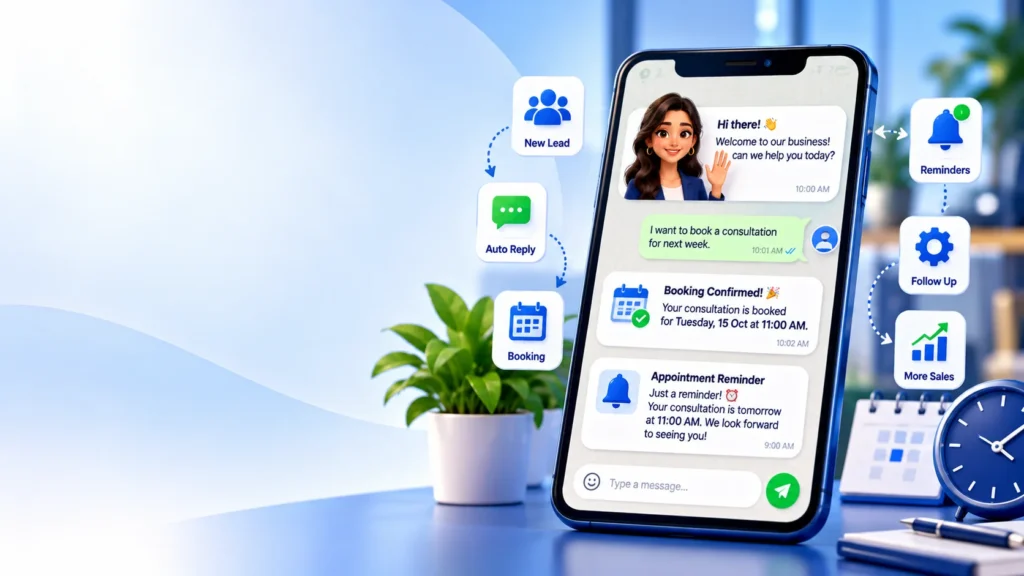
Your customers already use WhatsApp every day. If a new enquiry has to wait until someone is free to reply, the chat goes cold. WhatsApp automation for business fixes that by handling the first reply, the follow-ups and the reminders for you, while your team focuses on real conversations.
What Is WhatsApp Automation?
WhatsApp automation means using software to send and manage WhatsApp messages automatically, based on rules and triggers. A customer fills in a form, taps an ad button or sends a message, and a workflow sends the right reply, updates your CRM and alerts your team.
It’s different from mass messaging. Good automation is triggered by something the customer did, and it’s relevant to them.
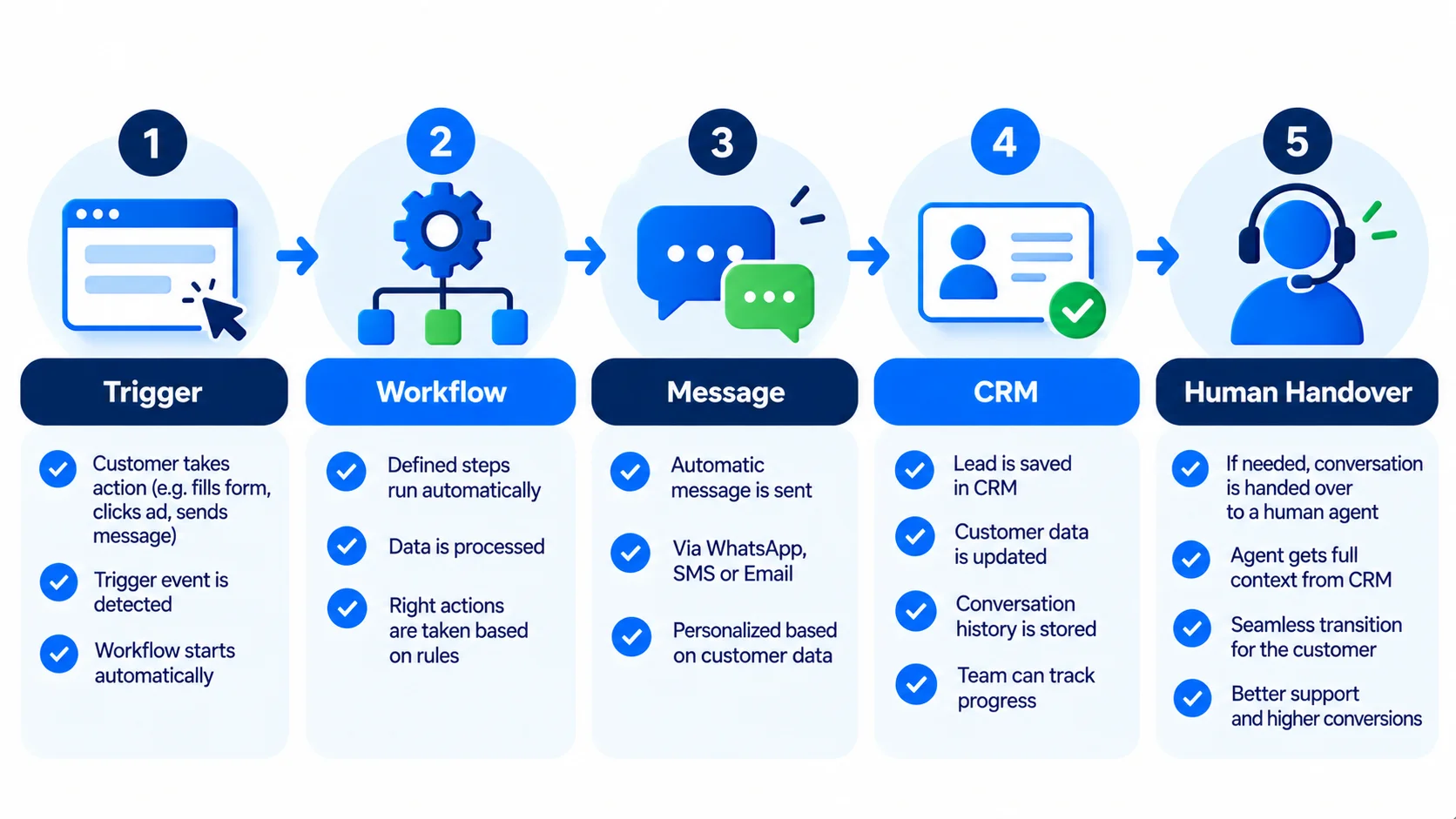
How It Works in Plain Steps
- A trigger happens. A lead submits a form, clicks a click-to-WhatsApp ad, or messages your number.
- A workflow runs. Tools such as n8n or a CRM decide what to send and who should be notified.
- A message is sent. The customer gets an instant, useful reply.
- Data is saved. The lead is added to your CRM with its source and status.
- A human steps in when the customer is ready to talk, books, or asks something specific.
Seven Practical Use Cases
- Instant lead reply: a welcome message within seconds of a form or ad click. See how to respond to leads in under 5 minutes.
- Lead qualification: ask two or three quick questions, such as service needed and budget range.
- Appointment booking and reminders: confirm, remind and let people reschedule, which helps reduce no-shows.
- Order and delivery updates for online stores.
- Follow-up sequences for leads who didn’t reply the first time.
- Review requests after a completed job or purchase.
- FAQ answers for common questions such as opening hours, pricing basics or location.
WhatsApp Business App vs WhatsApp Business API
There are two ways to run WhatsApp for a business:
- WhatsApp Business App: free, runs on a phone, with basic tools such as quick replies, labels and away messages. Good for very small teams.
- WhatsApp Business Platform (API): connects to software and CRMs, supports multiple team members and enables full automation. It’s the route for scaling, and it has its own rules and message pricing set by Meta.
If you want workflows connected to your CRM and ads, you’ll normally need the API route through an approved provider. Our CRM for small business guide explains how to choose one.
The Rules You Need to Follow
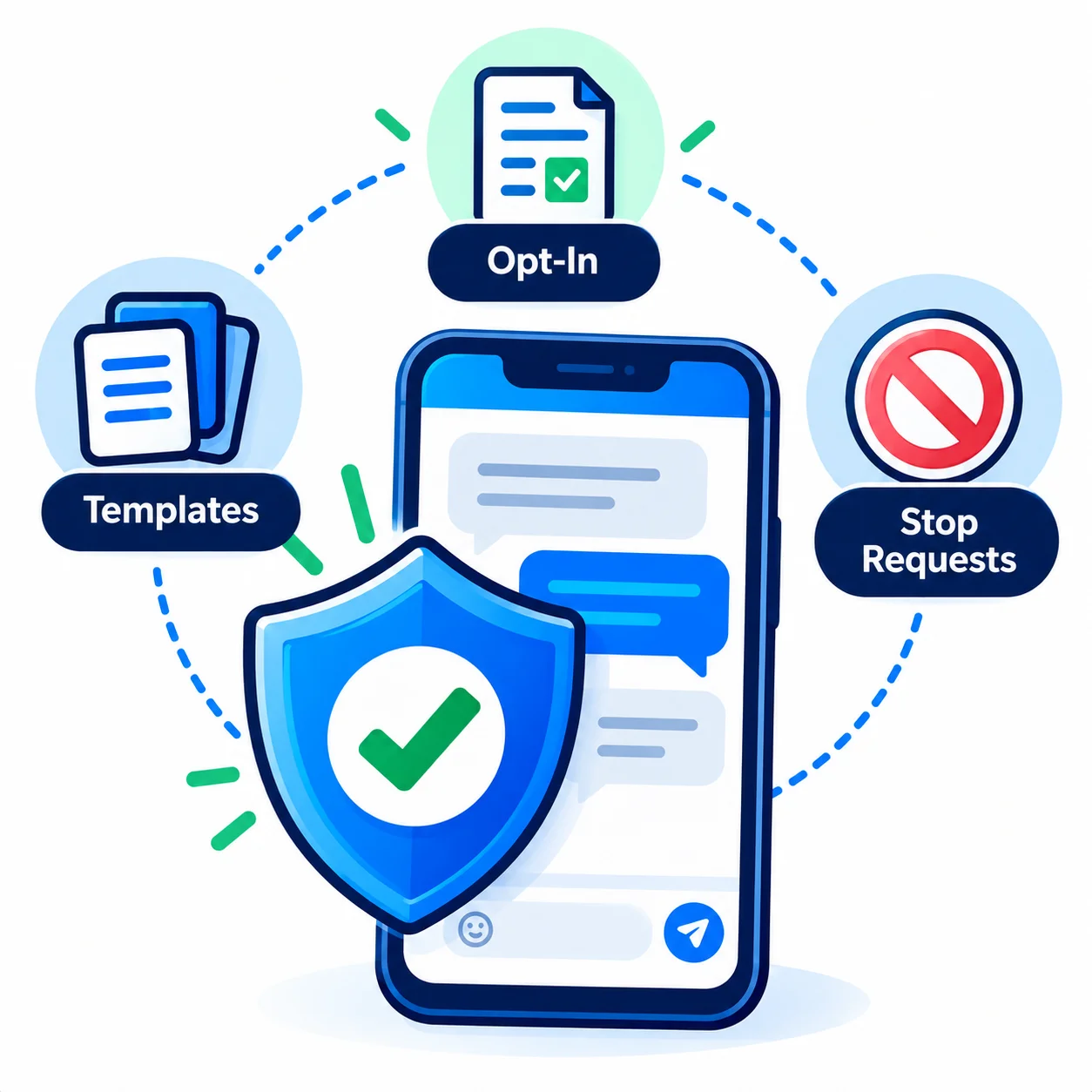
- Get opt-in. Message people who have agreed to hear from you on WhatsApp.
- Respect the messaging window. Free-form replies are generally allowed for a limited time after a customer messages you. Outside that window, you use pre-approved message templates.
- Use approved templates for business-initiated messages such as reminders and updates.
- Make it easy to opt out. Honor stop requests straight away.
- Keep messages useful. Spammy broadcasts risk blocks, reports and account restrictions.
WhatsApp’s policies and pricing change, so always check the current terms of Meta’s WhatsApp Business Platform before you build.
Mistakes to Avoid
- Sounding like a robot. Write short, friendly messages that sound like your team.
- No human handover. Always give people a way to reach a real person.
- Messaging too often. Quality beats frequency.
- Skipping the CRM link. If WhatsApp chats don’t connect to your lead records, follow-up gets messy.
- Automating a broken process. Fix the sales steps first, then automate them.
Who Benefits Most?
Businesses that get a steady flow of enquiries and lose time or leads on slow replies: clinics, schools and coaching centres, real estate, home services, e-commerce and service agencies. If your leads come from ads, automation also lifts the value of every ad dollar because fewer leads go unanswered.
Frequently Asked Questions
Is WhatsApp automation allowed?
Yes, when you follow WhatsApp’s business policies: get opt-in, use approved templates for business-initiated messages and make it easy to opt out.
Do I need the WhatsApp Business API?
For basic replies, the Business App can be enough. For CRM integration, multiple agents and full workflows, you’ll usually need the API through an approved provider.
Can automation replace my sales team?
No. It handles speed, reminders and routine questions. People still handle trust, pricing talks and closing.
What can I automate first?
Start with the instant first reply to new leads. It’s simple and usually the highest-impact step.
How much does WhatsApp automation cost?
It depends on your tools, the provider and Meta’s message pricing, which changes over time. We’d scope it after seeing your lead flow.
Conclusion
WhatsApp automation helps you reply faster, follow up consistently and give customers a smoother experience, as long as you keep it relevant and respect the rules. If you’d like to see what it could look like for your business, book a free strategy call with Globdigi or learn about our automation and marketing services.
Related Reading
- How to Respond to Leads in Under 5 Minutes With Automation
- CRM for Small Business: How to Choose One and Connect It to Your Ads
- Home Service Business Automation