
If your leads live in email inboxes, WhatsApp chats and spreadsheets, some will be forgotten. A CRM (customer relationship management) tool puts every lead in one place, shows who needs a reply and records which ads produced paying customers. Here is how to choose one and connect it.
Quick Answer
Pick a CRM that fits your team size and process, make sure it can receive leads from your ads, forms and messaging, and set up simple stages and reminders. Start small and add complexity only when you need it.
What a CRM Does for a Small Business
- Stores contacts and conversations in one place.
- Shows a pipeline from new lead to won or lost.
- Sets reminders and tasks so follow-ups happen.
- Records the lead source, so you know which channel works.
- Reports on conversion and revenue.
How to Choose One
| Question | Why it matters |
|---|---|
| How many people will use it? | Pricing is often per user |
| Does it connect to my forms, ads and WhatsApp? | Manual copying defeats the purpose |
| Is it easy enough that my team will use it? | An unused CRM is worthless |
| Does it support the pipeline I need? | Stages should match how you sell |
| What is the full cost? | Include add-ons, users and automation |
Options range from free tiers, such as HubSpot’s free CRM, to paid tools such as Pipedrive. Compare current features and pricing on each provider’s website before deciding.
Connect Your Lead Sources
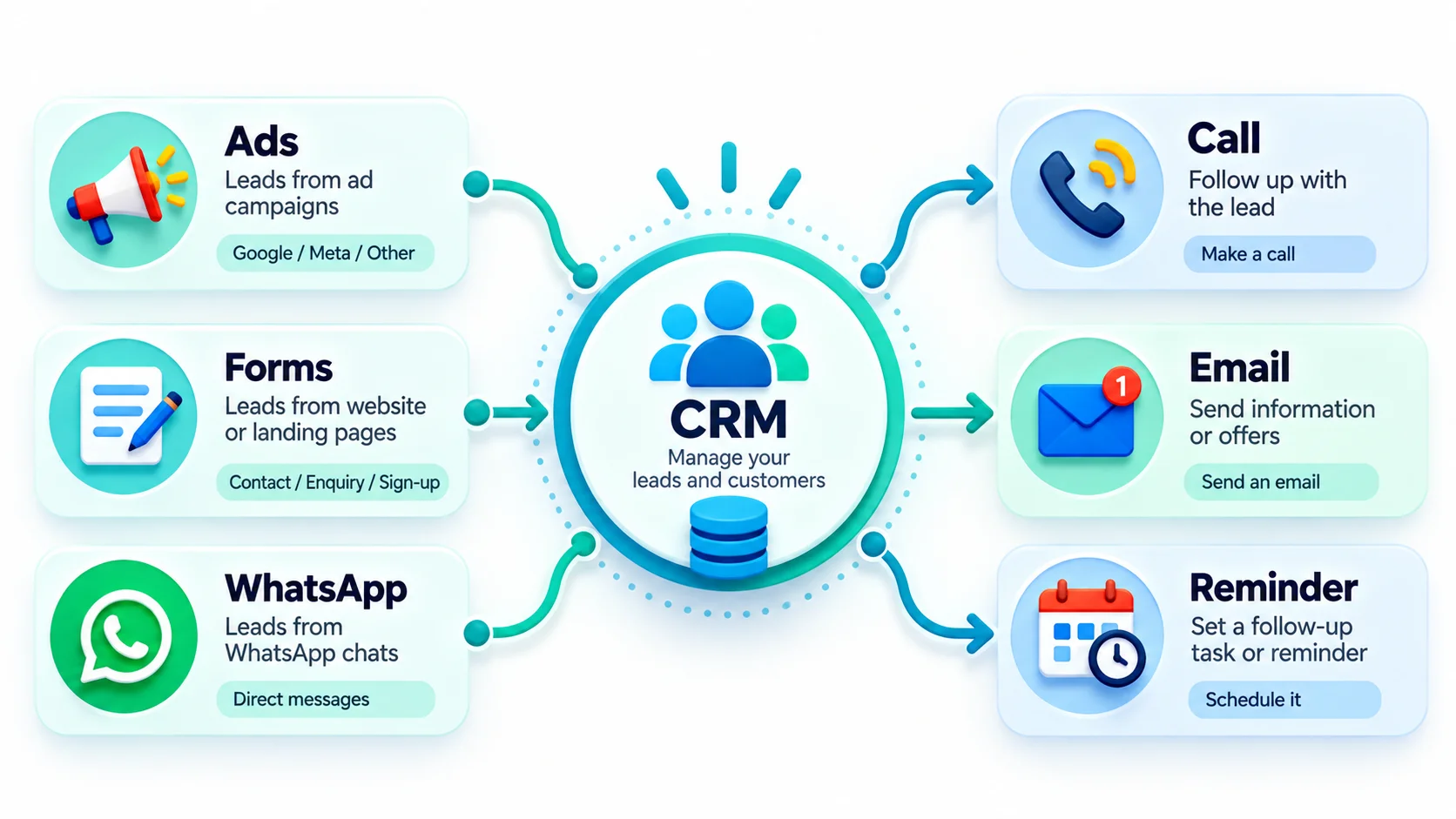
- Website forms: send submissions straight into the CRM with the source recorded.
- Google Ads and Meta lead forms: many CRMs offer direct integrations, or you can use an automation tool such as Zapier, Make or n8n.
- WhatsApp and chat: log conversations or create leads from new chats. See WhatsApp automation for business.
- Calls: log tracked calls with their source. See call tracking.
Set Up a Simple Pipeline
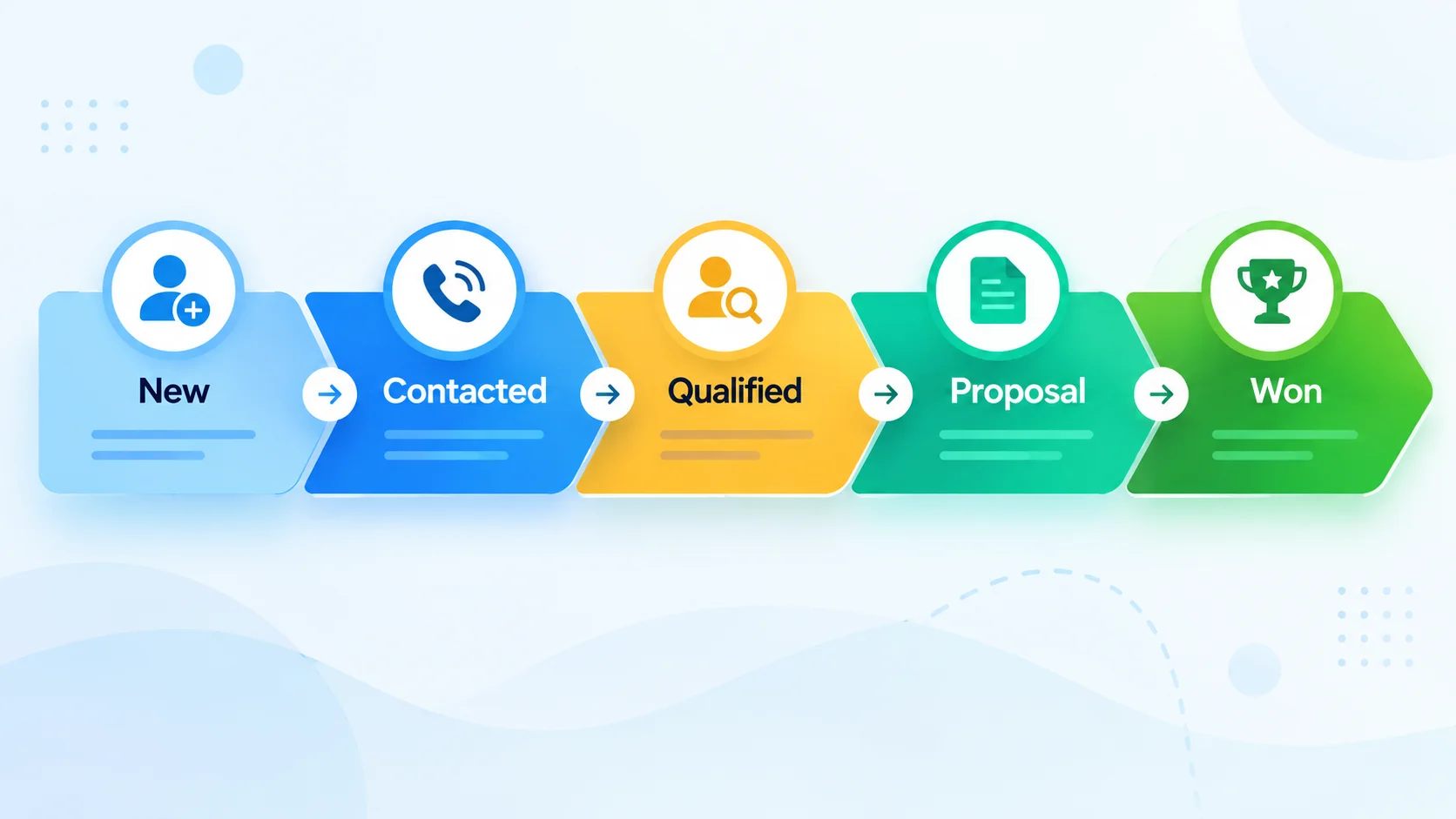
- New lead
- Contacted
- Qualified
- Proposal or quote
- Won or lost
Add a reminder for every stage so no lead sits untouched. Reply speed matters too. See how to respond to leads in under 5 minutes.
Close the Loop With Your Ads
When the CRM records which leads became customers, you can compare channels by cost per customer, not only cost per lead. Feed good outcomes back to ad platforms where possible, and measure return. See digital marketing ROI.
Privacy and Data
- Store only the data you need.
- Follow the privacy and marketing consent rules that apply to you.
- Limit access to those who need it.
Common Mistakes
- Choosing a complex CRM the team will not use.
- Not recording lead sources.
- Too many pipeline stages.
- Importing contacts without proper consent.
When to Get Professional Help
If you want ads, forms, WhatsApp and CRM working as one system, GlobDigi can set it up. See our services.
Frequently Asked Questions
Do I need a CRM if I have few leads?
Even a simple free CRM can help you follow up consistently and track sources.
Spreadsheet or CRM?
A spreadsheet works at first, but a CRM adds reminders, history and integrations as you grow.
Can a CRM send follow-ups automatically?
Many can, using email or messaging automation, subject to consent rules.
Conclusion
Choose a CRM your team will actually use, connect your lead sources and keep the pipeline simple. Then follow up fast and learn which ads bring customers.
Book a free strategy call with GlobDigi.