

If you cannot see which ads produce leads, you are managing blind. Conversion tracking tells Google Ads, Meta and Google Analytics what counts as success, so they can report on it and optimise for it. This guide shows the setup in plain steps.
Quick Answer
- Decide what counts as a conversion (form, call, booking, purchase).
- Install the Google tag and the Meta Pixel on your site.
- Create conversion actions in each platform and link them to those events.
- Test with a real submission.
- Check for duplicates and review the data weekly.
Step 1: Decide What to Track
- Form submissions and thank-you page views.
- Phone calls and click-to-call taps.
- WhatsApp or chat clicks.
- Bookings and purchases.
Track actions that mean real interest, not every page view.
How the Pieces Fit Together
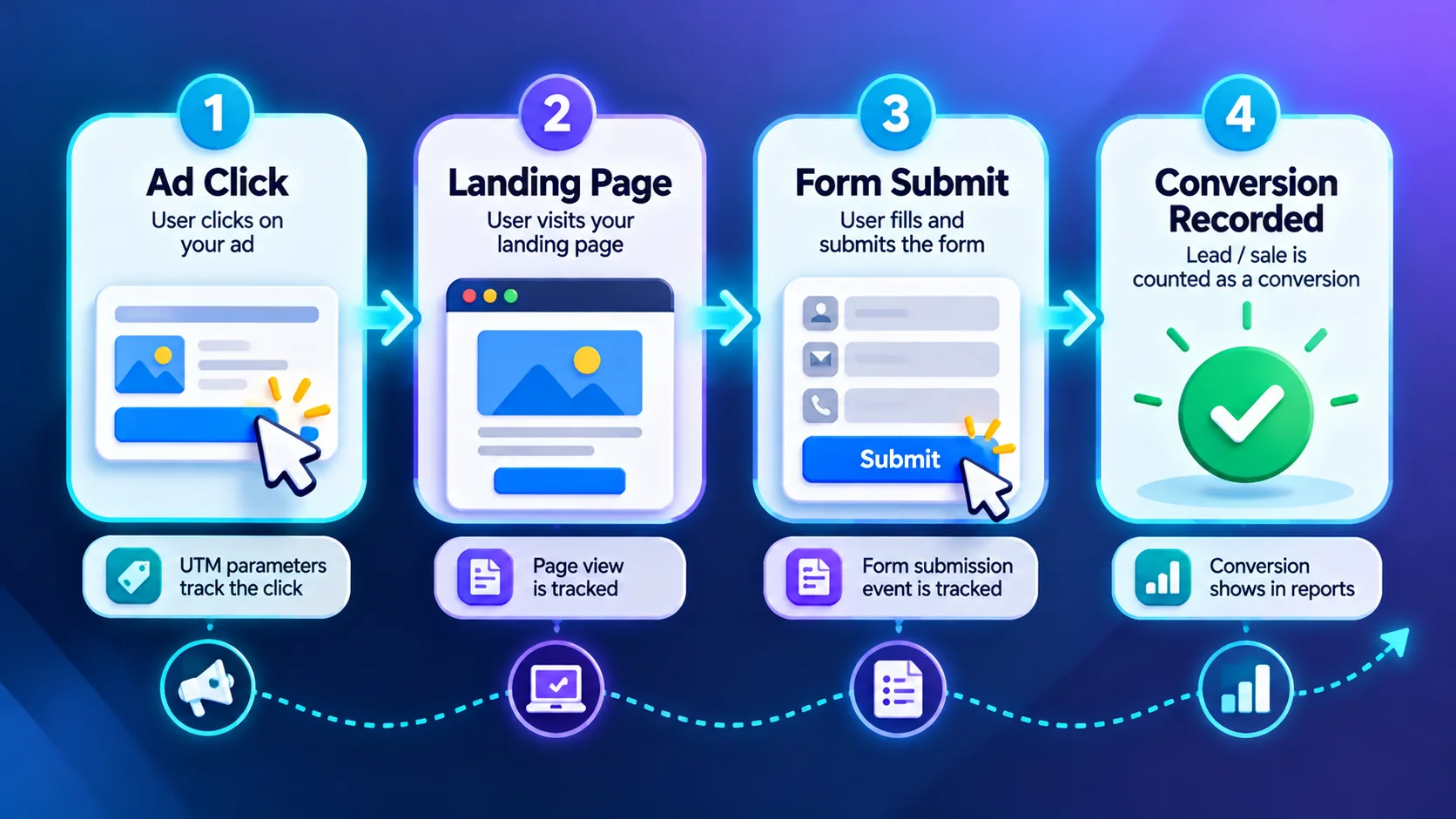
A person clicks an ad, lands on your page and completes an action. Your tags record that action and send it to each platform. Each platform then connects it back to the ad.
Step 2: Set Up Each Platform
GA4
- Install the Google tag for your GA4 property.
- Make sure key events are recorded, such as form submissions and calls.
- Mark your important events as key events so they appear in reports.
Google Ads
- Create conversion actions for each goal.
- Use the Google tag and event setup, or import key events from GA4.
- Consider enhanced conversions to improve measurement where allowed.
Meta Ads
- Install the Meta Pixel and set standard events such as Lead or Purchase.
- Consider the Conversions API for more reliable data alongside the Pixel.
- Avoid sending sensitive personal data.
For phone leads, add call tracking.
Step 3: Test Before You Spend
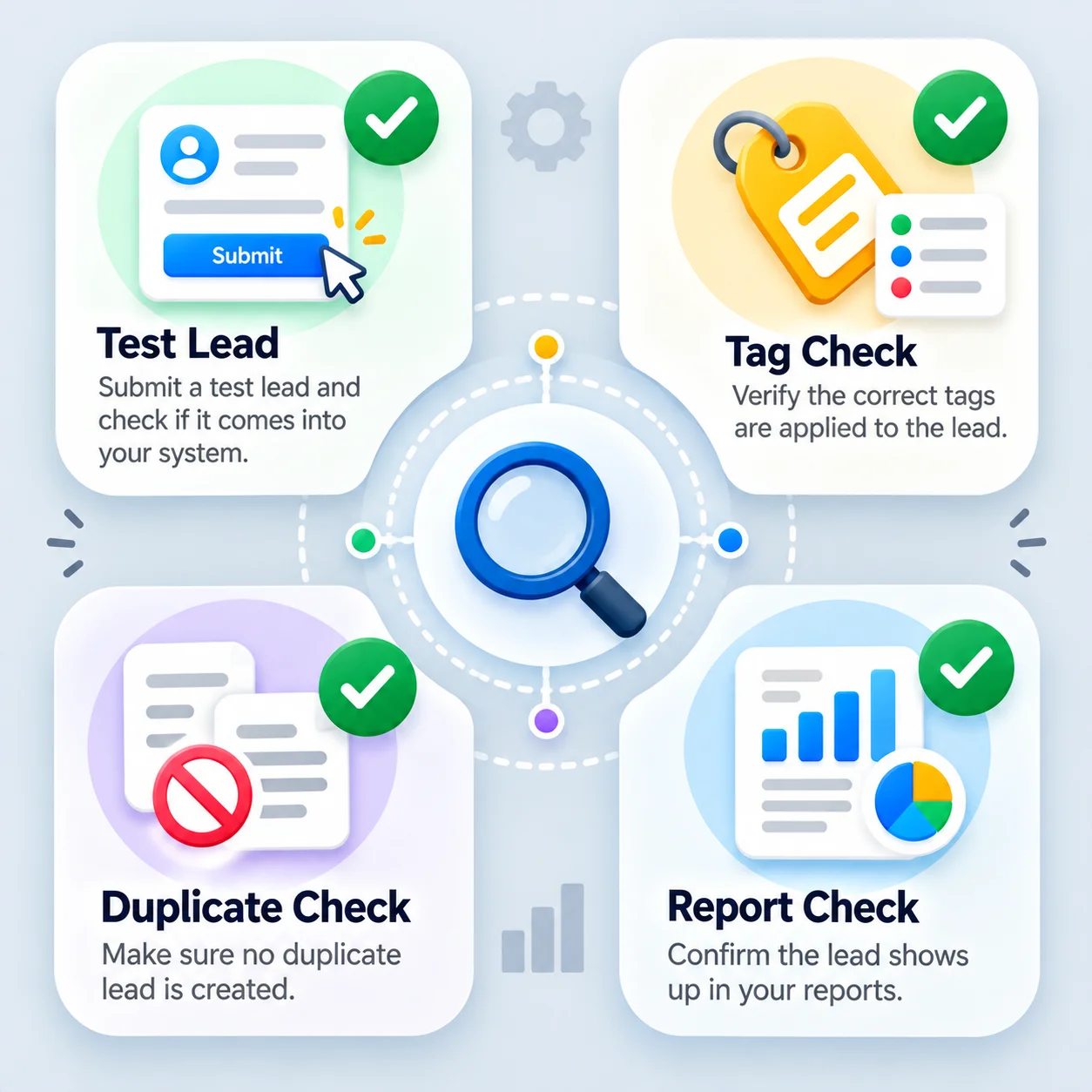
- Submit a test lead using your own details.
- Check the event fires once in Google Tag Assistant or your tag tools.
- Confirm it appears in GA4 real-time reports and Meta’s Events Manager test tools.
- Check that Google Ads records the conversion after processing time.
Common Mistakes That Corrupt Your Data
- Counting the same lead twice because two tags fire.
- Tracking page views as conversions.
- Leaving test or internal submissions in the data.
- Missing consent settings required by law where you operate.
- Not tracking offline outcomes, so ad platforms never learn which leads were good.
After Setup: Use the Data
Once tracking is clean, you can compare channels by cost per lead and judge returns. See how to measure marketing ROI and GA4 for small business.
When to Get Professional Help
If numbers across platforms never match, or you handle sensitive data, an expert audit helps. See our Google Ads and Meta Ads services.
Frequently Asked Questions
Why do my GA4 and Google Ads numbers differ?
They use different attribution and counting rules, so small differences are normal. Large gaps suggest a setup problem.
Do I need both the Meta Pixel and the Conversions API?
Using both can improve reliability, with proper deduplication. Follow Meta’s current guidance.
How often should I check tracking?
Test after every site change and review the data weekly.
Conclusion
Define conversions, install tags, test with real leads and watch for duplicates. Clean tracking is the base for every other improvement.
Request a free tracking audit.
