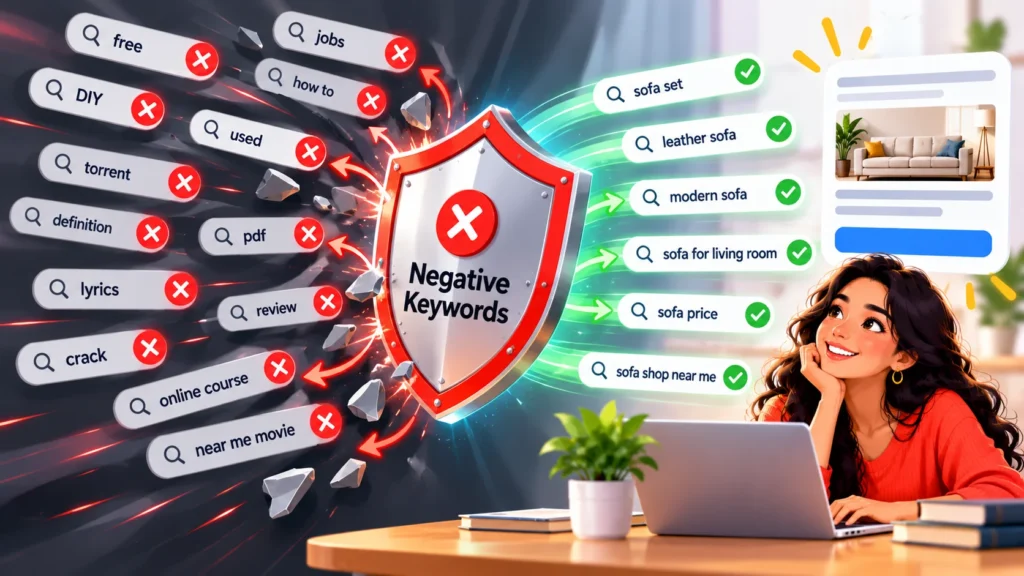
Every Google Ads account attracts some searches you never wanted. Negative keywords tell Google not to show your ad for them. Used well, they cut wasted spend and improve lead quality.
Quick Answer
Review your search terms report regularly, add irrelevant words and phrases as negative keywords, and choose the right match type so you do not block good traffic.
What Are Negative Keywords?
They are words or phrases that prevent your ad from showing when they appear in a search. For example, a premium dental clinic might add “free” or “jobs” to avoid clicks from people not looking to book.
Where to Find Them
- Open the search terms report in Google Ads.
- Sort by cost or clicks.
- Mark terms that do not match your service, location or intent.
- Add them as negatives at the right level.

Common Categories of Negatives
| Category | Examples |
|---|---|
| Job seekers | jobs, careers, salary, hiring |
| Do-it-yourself | diy, how to, tutorial |
| Free seekers | free, cheap (if not your offer) |
| Wrong service or product | services you do not offer |
| Competitors | competitor names, if you choose to exclude them |
| Wrong location | cities or regions you do not serve |
Match Types for Negatives
- Broad negative: blocks searches that contain all the words in any order. It does not block close variants like plurals automatically.
- Phrase negative: blocks searches that contain the phrase in order.
- Exact negative: blocks only that exact search.
Use exact or phrase for terms that could appear in good searches too. Check Google’s current documentation, because behaviour can change.

Account, Campaign and Ad Group Levels
- Account or shared lists for words that are never relevant.
- Campaign level for terms that are wrong for one campaign.
- Ad group level to keep similar services from competing.
Safe Habits
- Review weekly at first, then monthly.
- Check a term’s conversions before blocking it.
- Keep a master list so new campaigns start clean.
- Avoid blocking a word that is part of your own service name.
Avoid other common errors in our post on Google Ads mistakes small businesses make.
Common Mistakes
- Adding negatives that block valuable searches.
- Never checking the search terms report.
- Using only broad negatives and expecting variants to be blocked.
When to Get Professional Help
If your account has lots of wasted clicks, a search terms review can quickly show where. See our Google Ads services.
Frequently Asked Questions
How many negative keywords do I need?
It depends on your account. Quality matters more than quantity.
Can negative keywords hurt performance?
Yes, if they block relevant searches, so review before adding.
Do other campaign types support negatives?
Options vary by campaign type and change over time, so check current Google documentation.
Conclusion
Check your search terms, block the clearly irrelevant, and keep the list tidy. It is one of the simplest ways to protect your budget.
Request a free search terms review.